Chrome extension · Real-time meeting translation
Speak any language.Be heard in theirs.
Gaavala is a Chrome extension for live meeting translation in Teams, Meet, Zoom and Webex. Read captions in 60 languages, or use Pro to speak through an AI voice and send typed messages as speech.
Be first in line when Gaavala lands on the Chrome Web Store.
Gaavala
Live金曜日までにレビューを終えられます。
We can finish the review by Friday.
Necesito un día más para el informe de facturación.
I need one more day for the billing report.
Das Budget ist freigegeben — wir können starten.
The budget is approved — we're clear to start.
Parfait. Je préviens le client cet après-midi.
Perfect. I'll let the client know this afternoon.
- languages
- 60
- platforms, one install
- 4
- studio voices
- 68
- overlay refresh
- 100ms

Sixty languages · detected per speaker, on the fly
Captions live where the meeting lives.
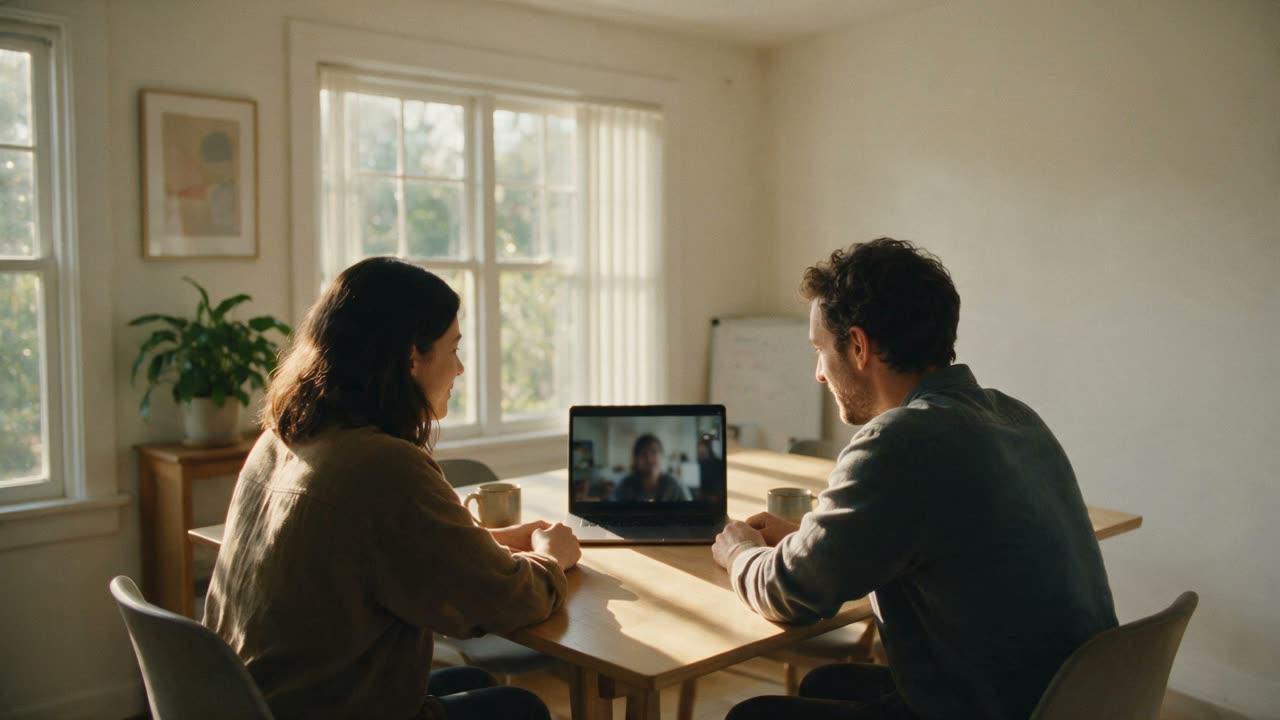
A floating glass layer renders translated captions directly over the call — you never look away from the people talking. The overlay is real product footage; the meeting behind it is one we built, with people who do not exist.

Age-fade stream
New lines land at full strength, older ones fade back — your eyes always find the newest words.
8 speaker colors
Every voice gets a consistent color — in the overlay, the side panel, and your exports.
Glass over the call
Blurred backdrop, adjustable font size, opacity, and line count — readable without blocking faces.
Follow every voice in the room.
A bilingual transcript that keeps the original and its translation together — with speakers named, colored, and exportable.
Transcript
Original + translation, paired
Timestamps, language badges, and both sides of every sentence — what was said and what it means stay together.
[00:14:32] Mehmet TR Bizim taraf hazır.
→ EN Our side is ready.
Language detect
No source language to pick
Gaavala detects each speaker's language on the fly — even when the room keeps switching. You only choose the language you want to read.
Diarization
Eight colors, real names
Speakers are detected automatically and color-coded. Rename "Speaker 2" to a real name mid-meeting — captions, overlay, and exports update instantly.

Live transcript
Let's lock the launch date. Can everyone ship by the 18th?
Let's lock the launch date. Can everyone ship by the 18th?
Bizim taraf hazır — testleri dün gece bitirdik.
Our side is ready — we finished testing last night.
金曜日までにレビューを終えられます。
We can finish the review by Friday.
Necesito un día más para el informe de facturación.
I need one more day for the billing report.
Export
TXT, SRT, JSON — translations included
Subtitles for video editors, JSON for your tooling, plain text for everything else — previewed live before you download.
[00:00:02] Sarah (en → en)
  Let's lock the launch date. Can everyone ship by the 18th?

[00:00:07] Mehmet (tr → en)
  Bizim taraf hazır — testleri dün gece bitirdik.
> Our side is ready — we finished testing last night.

[00:00:12] Yuki (ja → en)
  金曜日までにレビューを終えられます。
> We can finish the review by Friday.
Talk back — in a voice they understand.
One button: tap it for a hands-free 60-second window, or hold it to talk only while you hold. The meeting hears a natural voice saying it in theirs. No virtual microphone, no platform setup.
One button — tap it or hold it
A tap opens a 60-second hands-free window. Hold instead and you talk only while you hold. Tap again to stop early.
The ring counts the window down
A draining arc counts the window down in minutes and seconds, turning amber for the last 10 seconds. Tap twice within 0.3 seconds and the window becomes 30 seconds.
No virtual mic driver
Your translated voice is grafted into the meeting's own audio sender — and your real mic auto-mutes while it plays, so participants never hear both voices.
Your meeting's mute, platform by platform
On Microsoft Teams, muting yourself silences Gaavala's output with you. On Google Meet and Cisco Webex it does not, and on Zoom Gaavala cannot read the meeting's mute state at all — on those three, stop Speak from the Gaavala panel.
One button
Tap it. Say it once.
- Tap
- 60-second hands-free window
- Double-tap
- 30 seconds instead
- Hold
- talks only while held
You said · EN
“Let's lock the launch date. Can everyone ship by the 18th?”
The meeting hears
Our side is ready — we finished testing last night.
We can finish the review by Friday.
I need one more day for the billing report.
You · speaking in EN · via Gaavala
“Let's lock the launch date. Can everyone ship by the 18th?”
no virtual microphone · your mic auto-mutes while it plays
NewIn your own voice · Pro
Speak in your own voice.
Read a two-minute script, once. Gaavala clones your voice and it speaks all 60 languages — so the meeting hears you, not a stand-in.
AES-256-GCM encrypted at rest · delete removes the recording and the synthetic voice.
68 studio voices — or your own.
Every voice speaks all 60 languages — cross-lingual, zero setup, streaming in real time. Pick a studio voice, or clone your own from a two-minute sample.
- Studio voices
- 68
- Female
- 29
- Male
- 39
- Languages, every voice
- 60
- Setup
- none
Female — 29
- Arabella
- Bianca
- Bonnie
- Brooke
- Colleen
- Cordelia
- Emma
- Freya
- Grace
- Harper
- Hazel
- Imogen
- Iris
- Isla
- Juliet
- Kayla
- Margo
- Mina
- Nina
- Nora
- Piper
- Poppy
- Priya
- Reese
- Reyna
- Ruby
- Sari
- Sloane
- Victoria
Male — 39
- Adrian
- Alistair
- Arjun
- Arthur
- Bennett
- Bryce
- Cooper
- Curtis
- Daniel
- Dominic
- Elliot
- Emerson
- Emilio
- Evan
- Freddie
- Harlan
- Haruto
- Karan
- Kenji
- Logan
- Mason
- Mateo
- Miles
- Nathan
- Nigel
- Oliver
- Owen
- Preston
- Rafael
- Reid
- Rohan
- Russell
- Sebastian
- Shane
- Silas
- Trevor
- Tunde
- Walter
- Wesley
— or clone your own, from one two-minute sample.

Read the room. Answer it by typing.
Captions carry the meeting to you. A message box carries you back — you type a sentence and a voice says it into the call.
Gaavala
LiveType a message to speak in the meeting
Follow it by reading
Live translated captions in the side panel and over the call, with a consistent colour per speaker.
Answer it by typing
Type a sentence and Gaavala speaks it into the meeting, translating it first if you wrote it in another language.
In a voice, not a chat box
The room hears a sentence where the conversation is happening — in a studio voice, or a clone of your own.
Requires a working microphone connection and permission in your meeting app; mute behavior varies by platform
The meeting summary that never leaves your device.
Chrome's built-in AI model turns the transcript into structured notes — on your hardware, with zero network calls.
- 0 network calls
- Summaries run on Chrome's built-in model (Gemini Nano). The transcript is never uploaded — not to us, not to anyone.
- Key Points · Action Items · Decisions
- Schema-enforced structure with speaker attribution — "Mehmet owns the billing report", not vague prose.
- 5 output languages
- English, Spanish, Japanese, German, French — picked automatically from your caption language.
- Copy, or download as .md
- One click into your notes, with localized headings.
Requires Chrome's built-in AI (Gemini Nano) — availability is checked right in the panel


Don't trust us. Verify us.
Five specific claims about what happens to your audio — each one checkable against the permissions Gaavala asks for at install and against our privacy policy.
The API key in your browser dies in 60 seconds
Sessions run on single-purpose temporary keys minted per use. The master key never leaves the server.
Meeting audio goes browser → Soniox. Our servers aren't in the path.
An encrypted WebSocket streams meeting audio straight to Soniox's EU endpoint. No Gaavala server can see, store, or log it.
AI summaries make zero network calls
Chrome's built-in model summarizes on your hardware, and the session is destroyed after each run.
Transcripts stay on your device
Saved in the extension's local database and deleted after 7 days. No Gaavala server receives them; exports go to your own disk.
10 permissions. Zero analytics SDKs.
Scoped to the four meeting platforms and the hosts Gaavala needs to run — no blanket access to every site you visit, and no tracking libraries.
Encrypted in transit (TLS 1.2+). Speech processing on EU endpoints. Built to align with GDPR and KVKK.
SOC 2: on the roadmap — not claimed until audited

Gaavala is heading to the Chrome Web Store. Join the waitlist and you'll get the install link the day it's live.
Join waitlistFour platforms, one install — and it actually stops when you stop it.
Official Speak Mode support and live captions on the big four — and the reliability engineering nobody puts on a landing page.
Microsoft Teams
teams.microsoft.com
Official Speak Mode support
Google Meet
meet.google.com
Official Speak Mode support
Cisco Webex
webex.com
Official Speak Mode support
Zoom
zoom.us
Official Speak Mode support
One-click capture — no dialogs
Press Start and Gaavala captures the meeting tab directly. No screen-share picker, no "which window?" moment.
It actually stops
Close the panel and capture tears down completely — stall watchdogs and keepalives make sure nothing keeps listening in the background.
Survives real life
Headphones die mid-call, the extension updates itself, Teams swaps its audio stack — capture recovers without breaking your meeting.
Honest pricing: $19.99 a month, 120 minutes a day.
Start with 5 free minutes — no card. The trial is once-ever, the limits are real, and all of them are on this table.
| What you actually get | Free$0no card required | Pro$19.99/month |
|---|---|---|
| Live caption minutes | 5 minutes — once, ever | 120 min / day · resets 00:00 UTC |
| Languages & speaker colors | All 60 · 8-color diarization | All 60 · 8-color diarization |
| Speak Mode — talk (an AI voice translates you) | — | Included |
| Speak Text (type, and a voice says it) | — | Included — Gaavala's voices |
| Studio voices | — | 68 voices · 60 languages |
| Voice clone (your own voice) | — | Included — two-minute sample, 60 languages |
| On-device AI summary | Included | Included |
| Transcript export | TXT · SRT · JSON | TXT · SRT · JSON |
| Caption capacity priority | Standard | Reserved capacity |
No "unlimited" anywhere. Pro is 120 minutes of live captioning per day — enough for back-to-back meetings — and the cap is printed here because you'll see it inside the product too.
Gaavala is heading to the Chrome Web Store. Join the waitlist and you'll get the install link the day it's live.
Join waitlistWhy Gaavala
Real-time translation in 60 languages — not just captions in one.
One install across Teams, Meet, Zoom, and Webex.
Speak back in your own voice — or 68 studio voices.
Privacy-forward: meeting audio streams straight to Soniox and is never stored; your voice clone is encrypted and deletable.
One honest price — $19.99/mo, 120 minutes a day. No "unlimited" asterisks.
Billed through our payment partner (Merchant of Record). Prices exclude VAT and sales tax — the payment partner adds the tax due in your country at checkout.
Frequently asked questions
- What is Gaavala and how does it work?
Gaavala is a Chrome extension that adds real-time translated captions and an AI speaking voice (Speak Mode) to meetings running in your browser. Join a Microsoft Teams, Zoom, Google Meet, or Webex call, open the Gaavala side panel, and press Start — Gaavala captures the meeting tab's audio in one click, with no screen-share dialog. It detects each speaker's language automatically; you only pick the language you want to read. Audio streams from your browser directly to the Soniox speech engine over an encrypted WebSocket, and live captions appear in the side panel and in a floating overlay on the meeting.
- Is my meeting audio sent to Gaavala's servers?
No. Meeting audio flows directly from your browser to Soniox's speech-to-text servers in the EU over an encrypted WebSocket (TLS 1.2+). Our backend is never in the audio path — we cannot see, store, process, or log meeting audio, and sessions run on temporary keys that expire after 60 seconds. Our servers handle sign-in (Google or Microsoft), your subscription and your usage minutes, never meeting audio. The one voice recording we hold is the sample for a Pro voice clone, and only if you record one. AI summaries run entirely on your device via Chrome's built-in model, so the transcript never leaves your machine either.
- Which meeting platforms does Gaavala support?
Officially: Microsoft Teams (including the new Teams web client), Zoom web client, Google Meet, and Cisco Webex — with the full feature set, including the floating caption overlay and Speak Mode voice injection. Desktop apps are not supported; join each meeting from its web client in a Chrome tab.
- What is Speak Mode and do I need it?
Speak Mode is Gaavala's AI voice feature, available on Pro. You talk in your own language — one button: tap it for a hands-free 60-second window with a visible countdown, tap it twice quickly for 30 seconds instead, or hold it to talk only while you hold — and Gaavala transcribes, translates, and speaks your sentence into the meeting in a natural voice. You speak as one of 68 Soniox studio voices — every voice covers all 60 languages, zero setup — or clone your own voice from a two-minute sample and be heard as yourself. If you mainly need to understand others, captions are enough; if you need to be understood, Speak Mode is the reason to upgrade.
- Will participants hear my real voice and the translation at the same time?
No. While Speak Mode plays your translated voice, your real microphone is automatically muted — participants hear only the translation. The meeting platform's own mute button is a separate question, and the answer differs by platform: on Microsoft Teams, muting yourself there silences Gaavala's output too; on Google Meet and Cisco Webex it does not; on Zoom, Gaavala cannot read the meeting's mute state at all. On those three, stop Speak from the Gaavala panel.
- How much does Gaavala cost?
The free trial is 5 minutes of live captioning with no credit card — a one-time, lifetime allowance that never resets, intentionally enough to test it against a real meeting segment. Pro is $19.99 per month (excl. tax) and includes 120 minutes of live captioning per day (resetting at midnight UTC), Speak Mode with 68 studio voices and your own cloned voice, and reserved capacity priority. There is no "unlimited" tier — 120 minutes a day is the honest number. Billing runs through our payment partner (Merchant of Record), and you can cancel anytime from the customer portal.
- Does Gaavala work on Safari, Firefox, or mobile?
Gaavala is a Chrome extension built on Manifest V3, so it runs on Chromium-based desktop browsers — Google Chrome, Microsoft Edge, Brave, Arc, Opera, Vivaldi — version 116 or newer. Safari and Firefox don't share Chrome's extension API surface, and mobile browsers don't support extensions at all. For mobile-heavy days, join the meeting from a desktop Chromium browser and let Gaavala run there.
- Does my IT administrator need to approve anything?
No tenant-level approval is required. Gaavala runs locally in your browser, signs in with your personal Gaavala account, and talks directly to Soniox — it never touches your Microsoft 365 or Google Workspace tenant. The extension requests a fixed set of permissions, listed in full on its Chrome Web Store page, scoped to the four meeting platforms and the hosts it needs — no blanket access to every site you visit, no tracking SDKs. The only IT question is whether your organization allows Chrome extensions at all.
- What do AI summaries require, and where do they run?
Summaries run 100% on your device using Chrome's built-in AI model (Gemini Nano) — zero network calls, and the session is destroyed after each run. You get structured Key Points, Action Items (with the responsible speaker named), and Decisions, downloadable as Markdown. It requires a recent Chrome with the built-in model available on your hardware; Gaavala checks availability in the panel and tells you honestly if your setup can't run it. Output languages currently supported by the on-device model: English, Spanish, Japanese, German, and French.
- Can I speak in my own voice?
Yes, on Pro. Read a two-minute script once; your cloned voice then speaks all 60 languages. It's powered by Soniox — no account or API key to bring.
- Where is my voice sample stored, and is it safe?
It's biometric data, treated as such: stored encrypted (AES-256-GCM) on our servers and used only to build and maintain your voice clone.
- Can I delete my cloned voice?
Anytime, from the extension. Deleting removes the recording, the synthetic voice, and Soniox-side data.
- How many languages does my cloned voice speak?
All 60 supported languages, cross-lingual, from a single two-minute sample.
- I'm deaf or hard of hearing. Can I take part in a meeting with Gaavala?
That is what the reading and typing pair is for: live translated captions in the side panel and over the call let you follow what is said, and a message box lets you type a sentence that a voice then says into the meeting. Typed speech is part of Speak, so it needs Pro and one of Gaavala's voices. Gaavala never switches on your microphone: your meeting app needs a working microphone connection and microphone permission. Mute behavior varies by platform, so use Gaavala's Stop control to stop its speech. Typing in one language and speaking in another needs Chrome 138 or newer for on-device translation. Gaavala tells you when it has finished speaking a message — never that someone heard it. Gaavala is not on the Chrome Web Store yet; join the waitlist for the install link at launch.
- Do typed messages and live captions use the same minutes?
Yes — Pro is one allowance of 120 minutes a day, and it covers everything Gaavala does inside the meeting: reading the live captions and speaking the messages you type. There is no second budget to keep track of, and nothing switches off separately.

Your next meeting could be in any language.
Join the waitlist — get the install link the day Gaavala hits the Chrome Web Store.
No spam · one-click unsubscribe · meeting audio never touches our servers